Lafferty Equipment Manufacturing, LLC

Installation & Operation Instructions

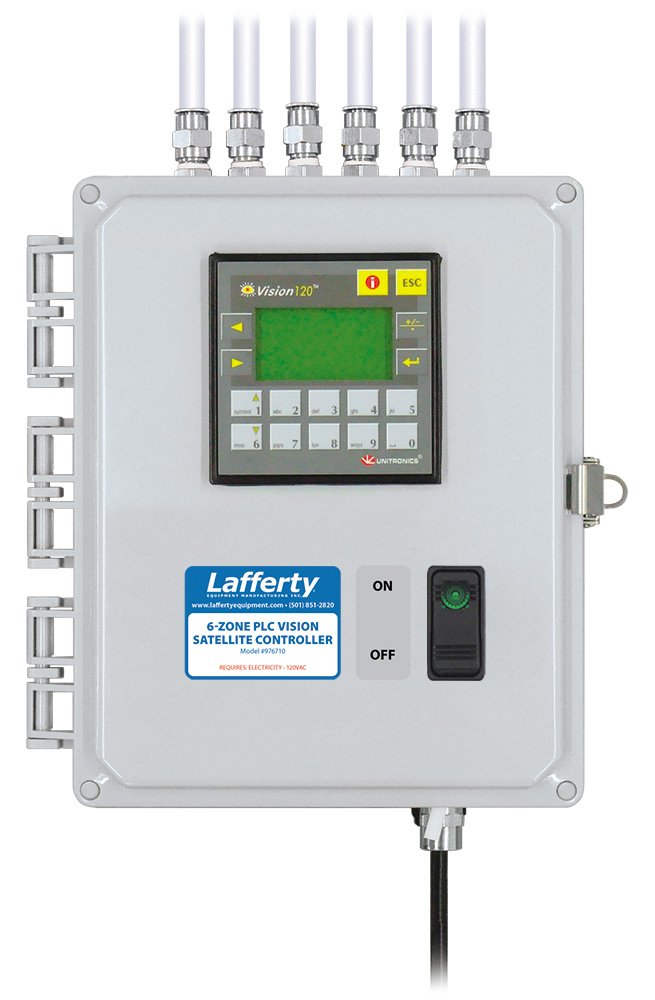
Model # 976710 · 6-Zone PLC Vision Satellite Controller

Requirements

Electrical Rating ~ 110/120V, 50/60Hz, 20W

Weight & Dimensions

Single Package
Shipping Weight9 lbs.
Shipping Dimensions15" x 15" x 11"
976710
Warning! Read All Instructions Before Using Equipment!

Overview

The 6-Zone PLC Vision Entryway Satellite Controller regulates the operation of up to 6 satellite zones simultaneously, with up to 10 satellite entryway foamers in each zone. Rich foam is applied to multiple entryway floors, at pre-programmed timed intervals, to prevent cross-contamination from foot or wheeled traffic. Each zone is programmed independently and compressed air is used to activate each zone of Vision Satellite Entryway Foamers, eliminating the need for electrical connections at each satellite location. Activation will start the flow of water/solution to the foamers; deactivation stops the flow of water/solution through the foamers. Each Satellite location requires a separate direct connection to local compressed air for foamer operation.
Safety & Operational Precautions

  • This appliance is not intended for use by persons (including children) with reduced physical, sensory or mental capabilities, or lack of experience and knowledge, unless they have been given supervision or instruction concerning use of the appliance by a person responsible for their safety. Children should be supervised to ensure that they do not play with the appliance.
  • If the supply cord is damaged, it must be replaced by the manufacturer, its service agent or similarly qualified persons in order to avoid a hazard.
  • For proper performance do NOT modify electrical control box.
  • Manufacturer assumes no liability for the use or misuse of this unit.
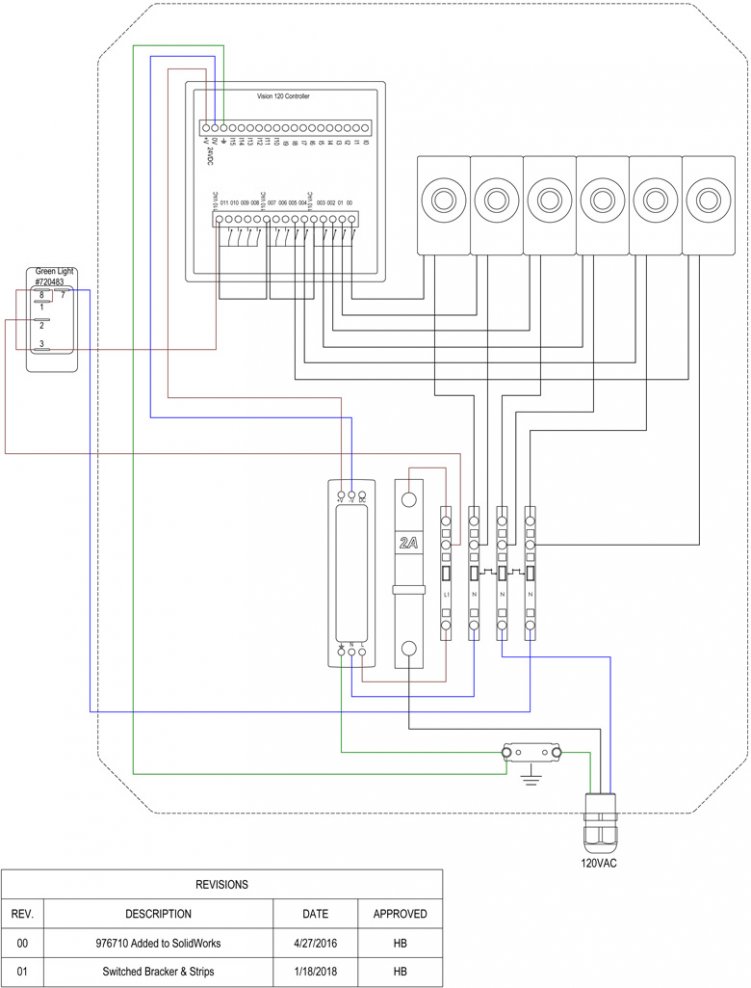
  • Always consider electrical shock hazard when working with and handling electrical equipment. If uncertain, consult an Electrician. Electrical wiring should only be done by a qualified Electrician, per Local and State Electrical Codes. 
  • Disconnect electrical power to the control box prior to opening it.
  • Remove any packing material from inside the control box before operating.

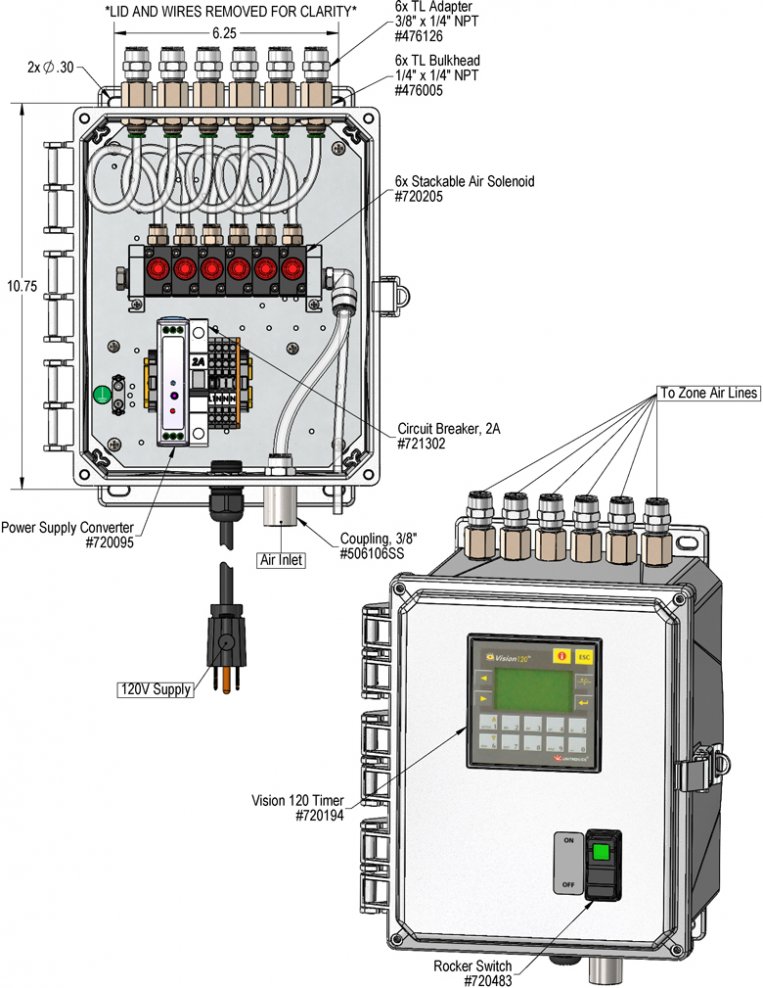
To Install (refer to diagram on next page)

Note: This Controller requires a 120V electrical supply
 
  1. Mount the control box at a convenient central location. Mount the control box to a secure surface. It may be mounted vertically, on a wall, post or other vertical surface, or horizontally on a flat surface. Commercially available mounting hardware (not provided), appropriate to the surface material of construction, should be used to secure the control box to the surface. Mounting holes are located at the four corners of the base of the control box.
  2. Do not connect to electricity supply.
  3. Run a 3/8" compressed air pilot line from each Zone port on the Lafferty Vision Satellite Controller to each Vision Satellite Unit. If more than one Vision Satellite Unit is to be operated on the same Zone, then run a 1/2" header line from the Zone port on the controller and then drop down to each unit with a 3/8" line drop.
    Note: This air line is used to activate air activated solenoids at the Vision Satellite. The Vision Satellite unit must be connected to local compressed air.
  4. Connect compressed air supply to the Controller. It is recommended that compressed air is regulated to 80 PSI.

To Operate

VISION CONTROLLER SET-UP.

Follow the separate "Program Settings Instructions" for the Vision Controller.


SWITCH SETTINGS (On front of Control Box)

Automatic control (AUTO) – Top of switch is depressed. Green light glows. The unit will function according to the Vision programmed settings.
OFF – Switch is in middle position; green light is off
976710.jpg